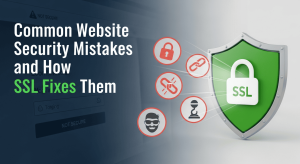
In an increasingly digital world, the security of websites is more critical than ever. One of the fundamental aspects of online safety is the use of Secure Sockets Layer (SSL) technology, which encrypts data exchanged between users and websites. However, many websites still operate without SSL, making them vulnerable to a range of cyberattacks. Hackers exploit these weaknesses to intercept sensitive information, compromise user accounts, and conduct malicious activities. This article delves into how hackers exploit websites lacking SSL, highlights the risks involved, and provides actionable steps that website owners can take to safeguard their sites and protect their users.
Understanding the Risks of a Website Without SSL and Why SSL Matters for Security
What is SSL and How Does It Work?
SSL, or Secure Sockets Layer, is a security protocol that ensures data exchanged between a user and a website remains private and protected. When someone visits a site secured with SSL, their browser establishes an encrypted connection through a verification “handshake” that confirms the identities of both parties. At its core, SSL provides encryption, transforming sensitive information, such as personal data and payment details, into coded text that only the intended recipient can decipher. This safeguards communication from interception or unauthorized access, strengthening overall website security.
Benefits of Using SSL for Websites
Using SSL on your website isn’t just a good idea; it’s the security equivalent of wearing a helmet while biking. First off, it boosts your website's credibility; users trust sites that display that little padlock icon. Secondly, SSL helps with SEO, yes, search engines favor secure sites! Lastly, it protects sensitive data, enhances user confidence, and provides overall peace of mind, making your site the Fort Knox of the internet.
How Hackers Exploit Website Without SSL: Techniques You Should Know
Man-in-the-Middle Attacks
Imagine a sneaky third party who inserts themselves between you and your best friend during a conversation. Listening in and potentially altering the chat. That’s a Man-in-the-Middle (MitM) attack. Without SSL, hackers can intercept data being sent between users and your site, easily reading or modifying the information as it flows through the digital ether. It’s like giving gatecrashers VIP access to your private party.
Data Interception and Theft
Without the secure walls of SSL, your website is an open book for hackers. They can sniff out sensitive data such as login credentials, credit card info, and personal messages with tools that are as readily available as coffee at a corner café. This data interception is a buffet of personal information just waiting to be devoured by cybercriminals, and it’s served on a non-SSL plate.
Phishing and Impersonation Techniques
Hackers love to impersonate trusted websites to trick unsuspecting victims into giving up their private information. Without SSL, it’s easier for them to create fake sites that look legitimate. They can design a phishing scheme that’s slicker than a greased weasel. Making users think they’re on a secure site when they’re really feeding their data to a digital wolf in sheep’s clothing.
How to Spot Security Weaknesses in a Website Without SSL
Common Signs of Vulnerability
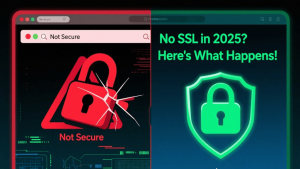
Is your website still showing a “Not Secure” warning? There’s your first clue! Other signs include unusual drops in traffic, sudden spikes in spam, and user reports about phishing attempts linked to your domain. If your visitors are facing these red flags, it’s time to suit up and secure your site!
Tools for Website Security Assessment
Fear not, dear website owner! There are tools galore to help you assess your site’s security. Tools like SSL Labs, Qualys SSL Test, and security plugins can identify weak spots.
Fixing a Website Without SSL: Step-by-Step SSL Implementation Guide
Selecting the Right SSL Certificate
Choosing an SSL certificate is like picking the perfect avocado; it requires some attention. Decide what you really need: a single domain certificate for your website, a wildcard certificate for multiple subdomains, or a multi-domain certificate to cover various sites. Compare providers based on price, support, and trustworthiness. Stick with established names like DigiCert or Let’s Encrypt for a good balance of security and wallet-friendliness.
Installation Process and Best Practices
Time to get your hands dirty! Installing SSL usually involves generating a Certificate Signing Request (CSR) from your web host, submitting it to your chosen SSL provider, and then installing the SSL certificate once it’s issued. Make sure to back up your website before diving in. Best practices? Redirect all traffic to HTTPS, update your CMS settings, and don’t forget to check for mixed content issues. Nothing says “I’m not secure” like a mix of HTTP and HTTPS on your site!
Testing Your SSL Configuration
You wouldn’t want to serve a half-baked cake, and your SSL configuration shouldn't be any different. After installation, use tools like SSL Labs or Why No Padlock to test your SSL setup. These tools will help you identify vulnerabilities and misconfigurations. Pay attention to details like certificate expiration dates and ensure your site’s security headers are in tip-top shape. The goal is to get that coveted "A" rating.
Best Practices to Improve Security on a Website Without SSL Installed
Regular Security Audits
Think of regular security audits as your website’s annual health check-up. Schedule periodic assessments to identify vulnerabilities and rectify them before they blossom into headaches. Use tools like Sucuri or Wordfence to scan for malware, outdated plugins, and other sneaky issues. Trust us, your future self (and your users) will thank you for keeping the digital doctor away!
Keeping Software and Plugins Updated
Staying up-to-date with software and plugins is crucial, think of it as giving your website a vitamin boost. When outdated components hang around, they become a buffet for hackers. Set up automatic updates when possible. Just like that seemingly harmless spider in the corner of your room, ignoring this task can lead to some serious consequences!
Monitoring for Suspicious Activity
Monitoring your website for suspicious activity is akin to setting up a security camera in your digital storefront. Use tools or services that alert you to unusual logins, file changes, or spikes in traffic. Keeping an eye on your logs can save you from some very unwanted surprises.
Protecting your website without SSL is no longer optional, it's essential in an era where cybercriminals constantly evolve their methods to intercept data, inject malware, and impersonate legitimate users. By securing your site with the right SSL certificate, you not only stop attackers in their tracks but also build trust, credibility, and long-term safety for your business and your visitors.
Take the smarter step today. Secure your website with SSL International, a trusted global provider of premium SSL certificates and website security solutions. Contact SSL International now and keep hackers out for good.